
マウスイベントリスナー
デスクトッププロジェクトでは、クリック、移動、スクロール、入力領域への出入りなど、さまざまなマウスイベントをリッスンできます。
undefined
クリックリスナー
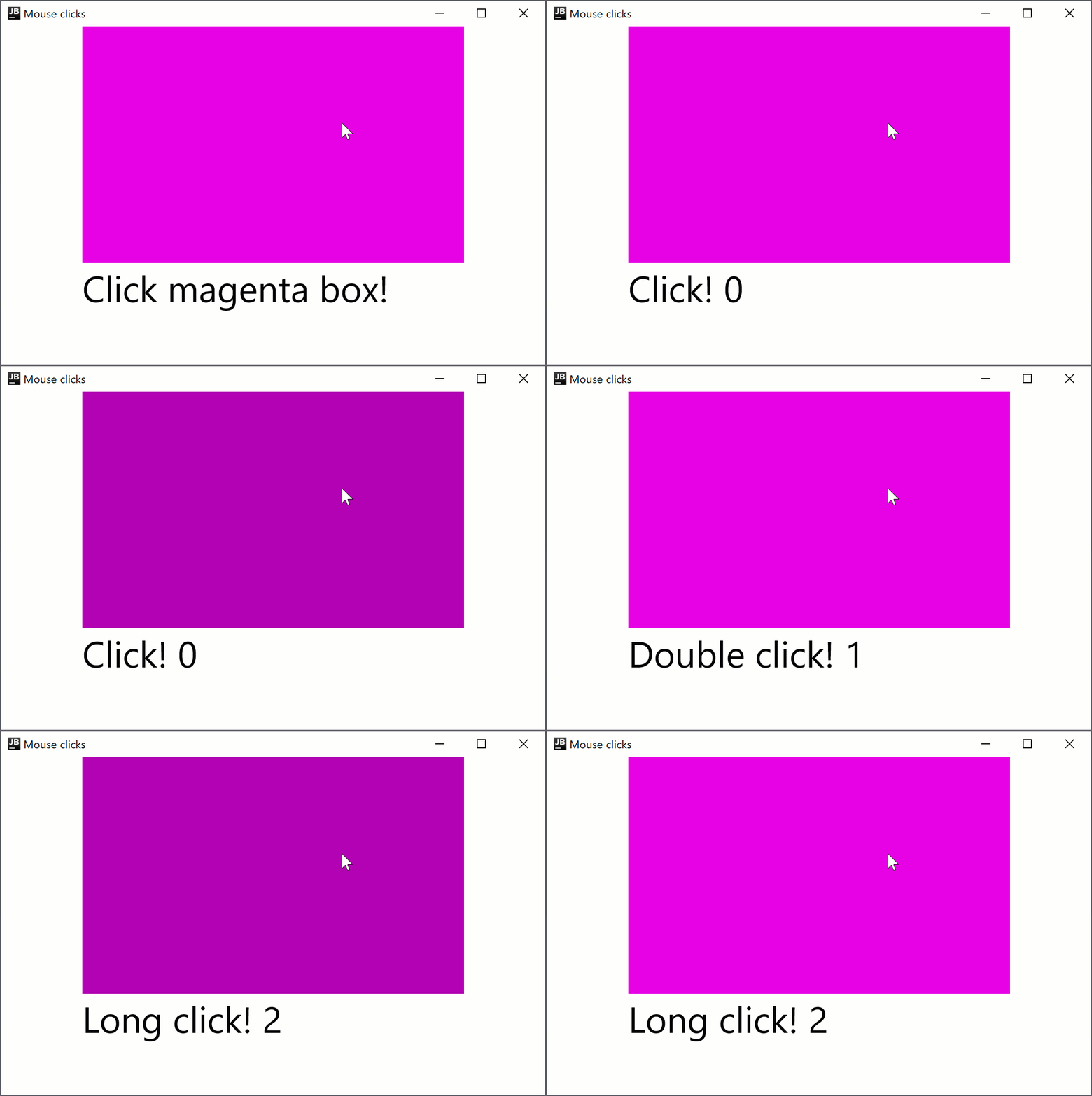
クリックリスナーは Compose Multiplatform for Android と Compose Multiplatform for desktop の両方で使用できるため、コードは両方のプラットフォームで動作します。 例えば、onClick、onDoubleClick、onLongClick モディファイアを使用して、シンプルなクリックリスナーをセットアップする方法は以下の通りです。
import androidx.compose.foundation.ExperimentalFoundationApi
import androidx.compose.foundation.background
import androidx.compose.foundation.combinedClickable
import androidx.compose.foundation.layout.Box
import androidx.compose.foundation.layout.Column
import androidx.compose.foundation.layout.fillMaxHeight
import androidx.compose.foundation.layout.fillMaxWidth
import androidx.compose.material.Text
import androidx.compose.runtime.getValue
import androidx.compose.runtime.mutableIntStateOf
import androidx.compose.runtime.mutableStateOf
import androidx.compose.runtime.remember
import androidx.compose.runtime.setValue
import androidx.compose.ui.Alignment
import androidx.compose.ui.Modifier
import androidx.compose.ui.graphics.Color
import androidx.compose.ui.unit.sp
import androidx.compose.ui.window.singleWindowApplication

fun main() = singleWindowApplication(title = "Mouse clicks") {
    var count by remember { mutableIntStateOf(0) }
    Box(contentAlignment = Alignment.Center, modifier = Modifier.fillMaxWidth()) {
        var text by remember { mutableStateOf("Click magenta box!") }
        Column {
            @OptIn(ExperimentalFoundationApi::class)
            Box(modifier = Modifier
                .background(Color.Magenta)
                .fillMaxWidth(0.7f)
                .fillMaxHeight(0.7f)
                .combinedClickable(
                    onClick = {
                        text = "Click! ${count++}"
                    },
                    onDoubleClick = {
                        text = "Double click! ${count++}"
                    },
                    onLongClick = {
                        text = "Long click! ${count++}"
                    }
                )
            )
            Text(text = text, fontSize = 40.sp)
        }
    }
}
combinedClickable モディファイアは、プライマリボタン(マウスの左ボタン)とタッチイベントのみをサポートします。ボタンを個別に処理する必要がある場合は、Modifier.onClick セクションを参照してください。
移動リスナー
onPointerEventモディファイアは試験的(Experimental)です。オプトインが必要であり(詳細は以下を参照)、評価目的でのみ使用してください。安定版(Stable) API については、Modifier.pointerInputを参照してください。
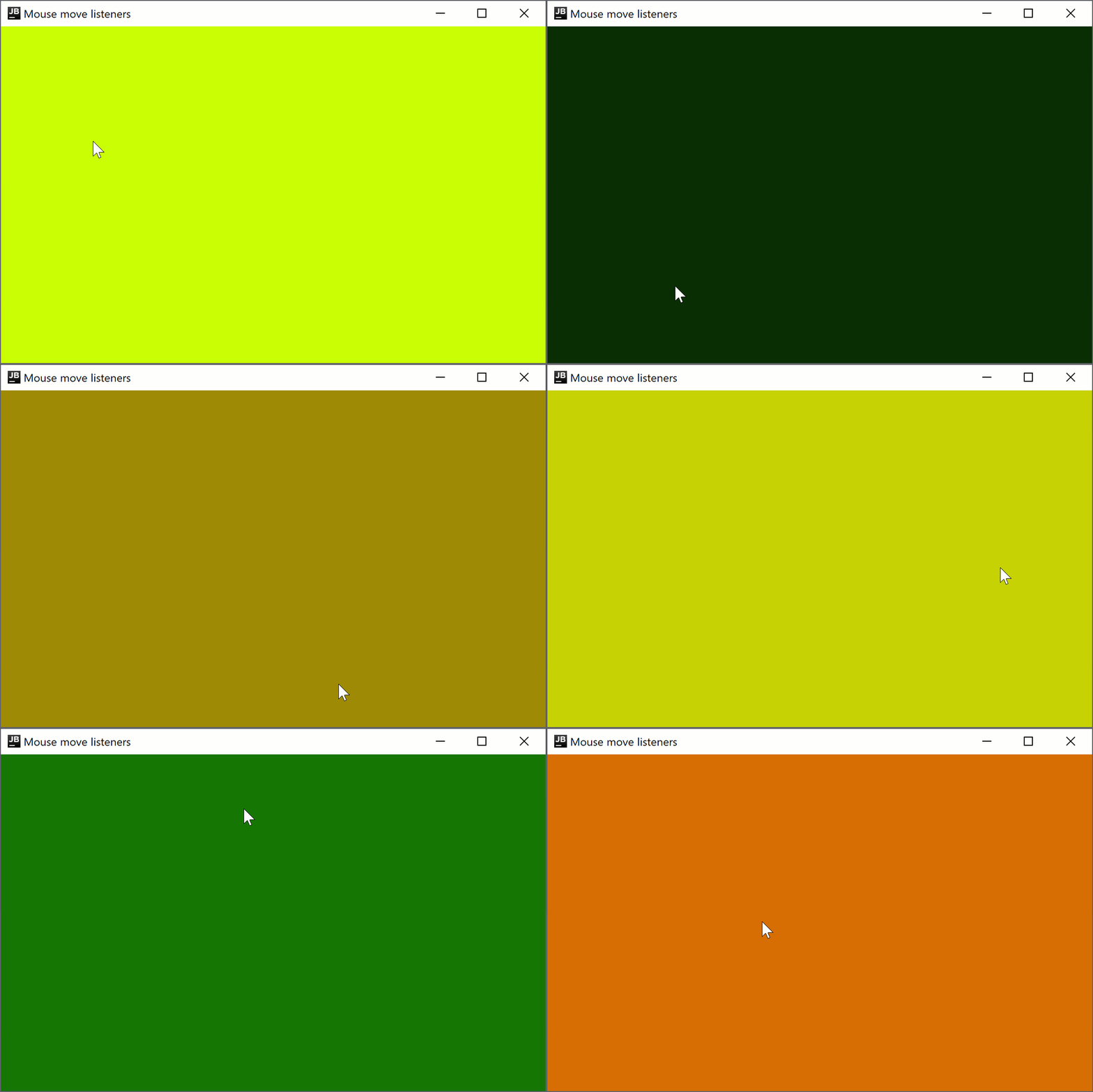
マウスポインタの位置に応じてウィンドウの背景色を変更するポインタ移動リスナーを作成するには、次のコードを追加します。
import androidx.compose.foundation.background
import androidx.compose.foundation.layout.Box
import androidx.compose.foundation.layout.fillMaxSize
import androidx.compose.foundation.layout.wrapContentSize
import androidx.compose.runtime.getValue
import androidx.compose.runtime.mutableStateOf
import androidx.compose.runtime.remember
import androidx.compose.runtime.setValue
import androidx.compose.ui.Alignment
import androidx.compose.ui.ExperimentalComposeUiApi
import androidx.compose.ui.Modifier
import androidx.compose.ui.graphics.Color
import androidx.compose.ui.input.pointer.PointerEventType
import androidx.compose.ui.input.pointer.onPointerEvent
import androidx.compose.ui.window.singleWindowApplication

@OptIn(ExperimentalComposeUiApi::class)
fun main() = singleWindowApplication(title = "Mouse move listeners") {
    var color by remember { mutableStateOf(Color(0, 0, 0)) }
    Box(modifier = Modifier
        .wrapContentSize(Alignment.Center)
        .fillMaxSize()
        .background(color = color)
        .onPointerEvent(PointerEventType.Move) {
            val position = it.changes.first().position
            color = Color(position.x.toInt() % 256, position.y.toInt() % 256, 0)
        }
    )
}
入場(Enter)リスナー
onPointerEventモディファイアは試験的(Experimental)です。オプトインが必要であり(詳細は以下を参照)、評価目的でのみ使用してください。安定版(Stable) API については、Modifier.pointerInputを参照してください。
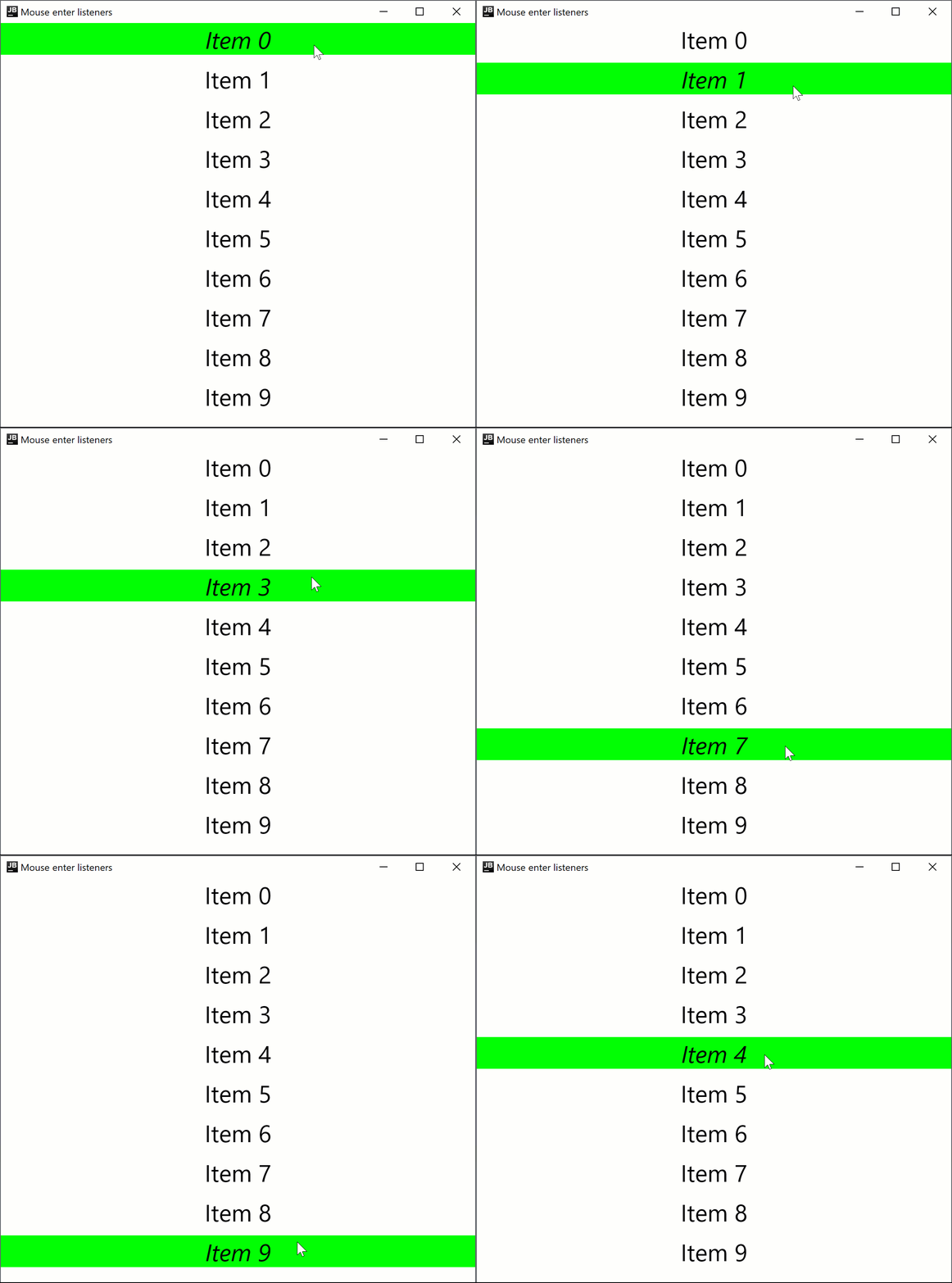
Compose Multiplatform for desktop は、ポインタが入力領域に入ったときと出たときのハンドラをサポートしています。例えば、以下のコードはホバー時に行のフォントスタイルを変更します。
import androidx.compose.foundation.background
import androidx.compose.foundation.layout.Arrangement
import androidx.compose.foundation.layout.Column
import androidx.compose.foundation.layout.fillMaxWidth
import androidx.compose.material.Text
import androidx.compose.runtime.getValue
import androidx.compose.runtime.mutableStateOf
import androidx.compose.runtime.remember
import androidx.compose.runtime.setValue
import androidx.compose.ui.ExperimentalComposeUiApi
import androidx.compose.ui.Modifier
import androidx.compose.ui.graphics.Color
import androidx.compose.ui.input.pointer.PointerEventType
import androidx.compose.ui.input.pointer.onPointerEvent
import androidx.compose.ui.text.font.FontStyle
import androidx.compose.ui.text.style.TextAlign
import androidx.compose.ui.unit.dp
import androidx.compose.ui.unit.sp
import androidx.compose.ui.window.singleWindowApplication

@OptIn(ExperimentalComposeUiApi::class)
fun main() = singleWindowApplication(title = "Mouse enter listeners") {
    Column(
        Modifier.background(Color.White),
        verticalArrangement = Arrangement.spacedBy(10.dp),
    ) {
        repeat(10) { index ->
            var active by remember { mutableStateOf(false) }
            Text(modifier = Modifier
                .fillMaxWidth()
                .background(color = if (active) Color.Green else Color.White)
                .onPointerEvent(PointerEventType.Enter) { active = true }
                .onPointerEvent(PointerEventType.Exit) { active = false },
                fontSize = 30.sp,
                fontStyle = if (active) FontStyle.Italic else FontStyle.Normal,
                text = "Item $index",
                textAlign = TextAlign.Center
            )
        }
    }
}
スクロールリスナー
onPointerEventモディファイアは試験的(Experimental)です。オプトインが必要であり(詳細は以下を参照)、評価目的でのみ使用してください。安定版(Stable) API については、Modifier.pointerInputを参照してください。
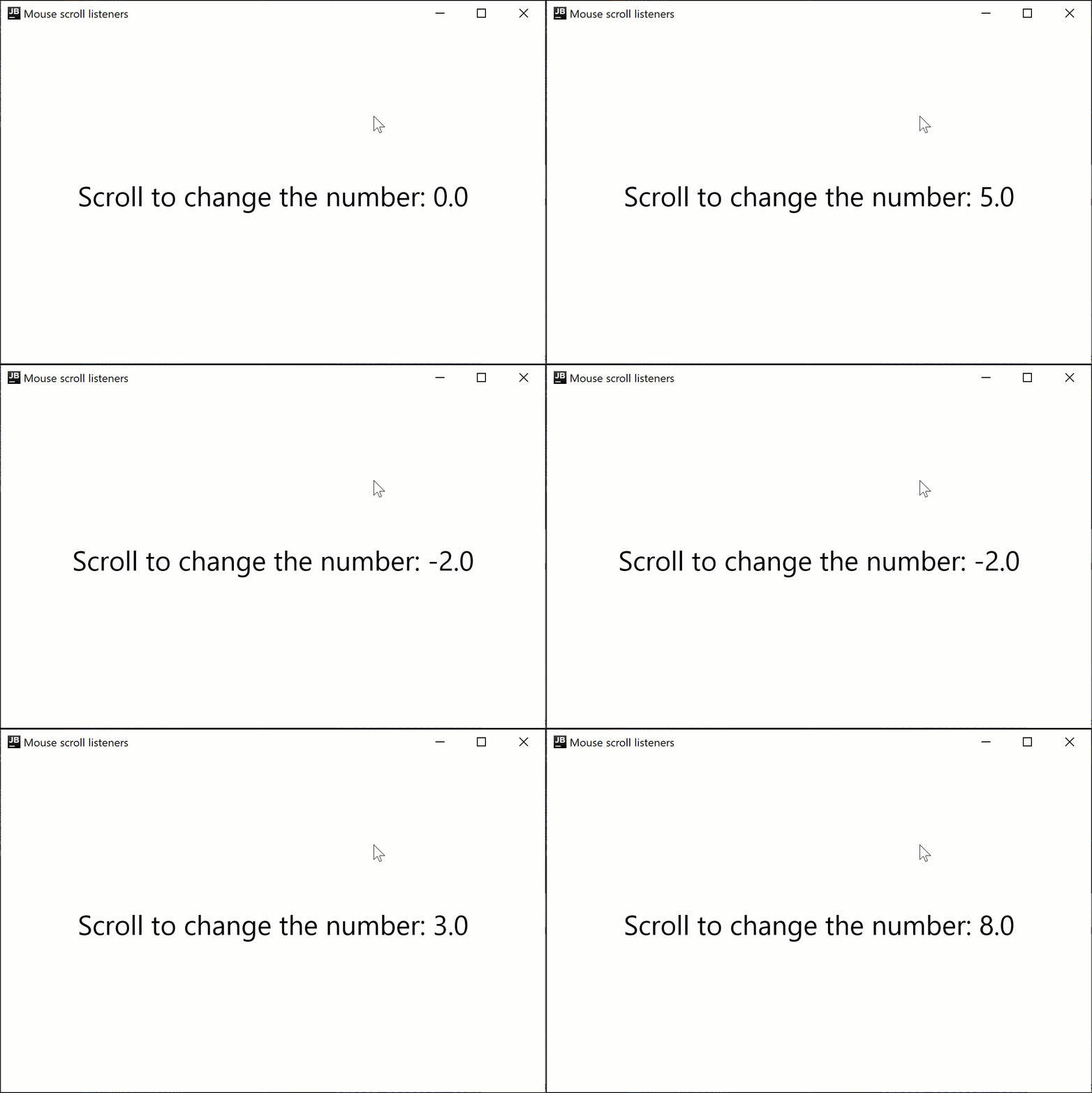
次のコードサンプルは、マウスのスクロール方向に応じて表示される数値を増減させる方法を示しています。
import androidx.compose.foundation.layout.Box
import androidx.compose.foundation.layout.fillMaxSize
import androidx.compose.material.Text
import androidx.compose.runtime.getValue
import androidx.compose.runtime.mutableFloatStateOf
import androidx.compose.runtime.remember
import androidx.compose.runtime.setValue
import androidx.compose.ui.Alignment
import androidx.compose.ui.ExperimentalComposeUiApi
import androidx.compose.ui.Modifier
import androidx.compose.ui.input.pointer.PointerEventType
import androidx.compose.ui.input.pointer.onPointerEvent
import androidx.compose.ui.unit.sp
import androidx.compose.ui.window.singleWindowApplication

@OptIn(ExperimentalComposeUiApi::class)
fun main() = singleWindowApplication(title = "Mouse scroll listeners") {
    var number by remember { mutableFloatStateOf(0f) }
    Box(
        Modifier
            .fillMaxSize()
            .onPointerEvent(PointerEventType.Scroll) {
                number += it.changes.first().scrollDelta.y
            },
        contentAlignment = Alignment.Center
    ) {
        Text("Scroll to change the number: $number", fontSize = 30.sp)
    }
}
試験的な onClick ハンドラ
onClickモディファイアは試験的(Experimental)であり、デスクトッププロジェクトでのみサポートされています。オプトインが必要であり(詳細は以下を参照)、評価目的でのみ使用してください。
Modifier.onClick は、クリック、ダブルクリック、ロングクリックに対して独立したコールバックを提供します。これはポインタイベントに由来するクリックのみを処理し、標準でアクセシビリティの click イベントを処理することはありません。
matcher: PointerMatcher と keyboardModifiers: PointerKeyboardModifiers.() -> Boolean を使用して、特定のポインタイベントをターゲットにするように各 onClick を構成できます。
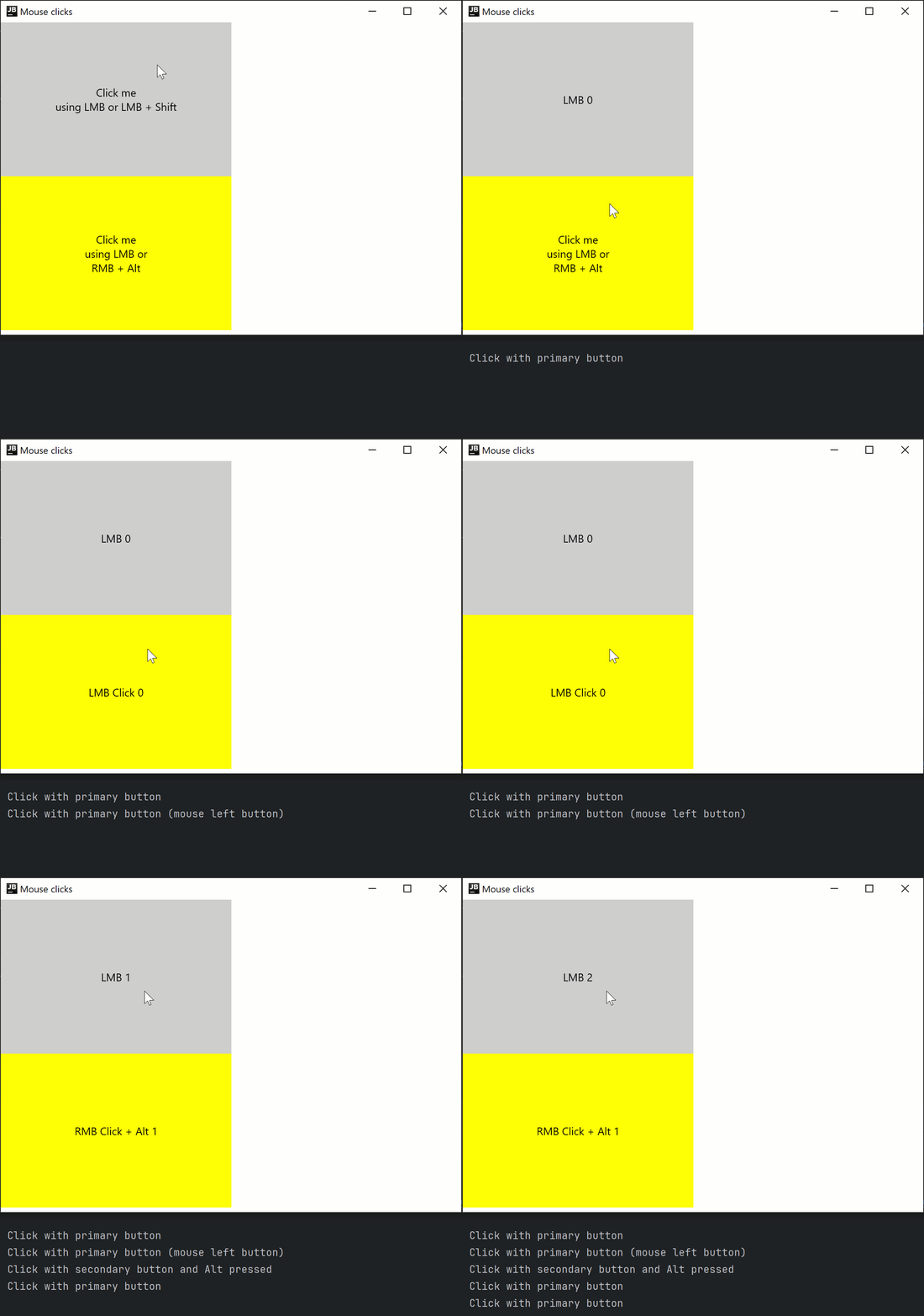
matcherを使用すると、どのマウスボタンでクリックイベントをトリガーするかを選択できます。keyboardModifiersを使用すると、特定のキーが押されているポインタイベントをフィルタリングできます。
また、複数の onClick モディファイアを連鎖させて、マッチャーやキーボード修飾キーの異なる条件下で異なるクリックを処理することもできます。 clickable とは異なり、onClick にはデフォルトの Modifier.indication や Modifier.semantics がなく、 キーを押してもクリックイベントはトリガーされません。必要に応じて、これらのモディファイアを個別に追加してください。 イベントが正しく伝播されるように、最も一般的(条件が最も少ない)な onClick ハンドラを他のハンドラより前に宣言する必要があります。
import androidx.compose.animation.AnimatedContent
import androidx.compose.foundation.ExperimentalFoundationApi
import androidx.compose.foundation.LocalIndication
import androidx.compose.foundation.PointerMatcher
import androidx.compose.foundation.background
import androidx.compose.foundation.indication
import androidx.compose.foundation.interaction.MutableInteractionSource
import androidx.compose.foundation.layout.Box
import androidx.compose.foundation.layout.Column
import androidx.compose.foundation.layout.size
import androidx.compose.foundation.onClick
import androidx.compose.material.Text
import androidx.compose.runtime.*
import androidx.compose.ui.Alignment
import androidx.compose.ui.Modifier
import androidx.compose.ui.graphics.Color
import androidx.compose.ui.input.pointer.PointerButton
import androidx.compose.ui.input.pointer.isAltPressed
import androidx.compose.ui.input.pointer.isShiftPressed
import androidx.compose.ui.text.style.TextAlign
import androidx.compose.ui.unit.dp
import androidx.compose.ui.window.singleWindowApplication

@OptIn(ExperimentalFoundationApi::class)
fun main() = singleWindowApplication(title = "Mouse clicks") {
    Column {
        var topBoxText by remember { mutableStateOf("Click me
using LMB or LMB + Shift") }
        var topBoxCount by remember { mutableIntStateOf(0) }
        // インタラクション時のインジケーションなし
        Box(modifier = Modifier
            .size(300.dp, 200.dp)
            .background(Color.LightGray)
            // 最も一般的なクリックハンドラ(追加条件なし)を最初に記述する必要がある
            .onClick {
                // Shiftが押されている場合を除き、すべてのマウス左ボタンクリックを受け取る
                println("Click with primary button")
                topBoxText = "LMB ${topBoxCount++}"
            }.onClick(
                keyboardModifiers = { isShiftPressed } // Shiftが押されている場合のみクリックを受け付ける
            ) {
                // Shiftが押されている場合のマウス左ボタンクリックをすべて受け取る
                println("Click with primary button and shift pressed")
                topBoxCount++
                topBoxText = "LMB + Shift ${topBoxCount++}"
            }
        ) {
            AnimatedContent(
                targetState = topBoxText,
                modifier = Modifier.align(Alignment.Center)
            ) {
                Text(text = it, textAlign = TextAlign.Center)
            }
        }

        var bottomBoxText by remember { mutableStateOf("Click me
using LMB or
RMB + Alt") }
        var bottomBoxCount by remember { mutableStateOf(0) }
        val interactionSource = remember { MutableInteractionSource() }
        // インタラクション時のインジケーションあり
        Box(modifier = Modifier
            .size(300.dp, 200.dp)
            .background(Color.Yellow)
            .onClick(
                enabled = true,
                interactionSource = interactionSource,
                matcher = PointerMatcher.mouse(PointerButton.Secondary), // マウス右ボタン
                keyboardModifiers = { isAltPressed }, // Altが押されている場合のみクリックを受け付ける
                onLongClick = { // オプション
                    bottomBoxText = "RMB Long Click + Alt ${bottomBoxCount++}"
                    println("Long Click with secondary button and Alt pressed")
                },
                onDoubleClick = { // オプション
                    bottomBoxText = "RMB Double Click + Alt ${bottomBoxCount++}"
                    println("Double Click with secondary button and Alt pressed")
                },
                onClick = {
                    bottomBoxText = "RMB Click + Alt ${bottomBoxCount++}"
                    println("Click with secondary button and Alt pressed")
                }
            )
            .onClick(interactionSource = interactionSource) { // デフォルトパラメータを使用
                bottomBoxText = "LMB Click ${bottomBoxCount++}"
                println("Click with primary button (mouse left button)")
            }
            .indication(interactionSource, LocalIndication.current)
        ) {
            AnimatedContent(
                targetState = bottomBoxText,
                modifier = Modifier.align(Alignment.Center)
            ) {
                Text(text = it, textAlign = TextAlign.Center)
            }
        }
    }
}
試験的な onDrag モディファイア
onDragモディファイアは試験的(Experimental)であり、デスクトッププロジェクトでのみサポートされています。オプトインが必要であり(詳細は以下を参照)、評価目的でのみ使用してください。
Modifier.onDrag を使用すると、matcher: PointerMatcher を介してドラッグをトリガーするポインタを指定できます。onClick と同様に、多くの onDrag モディファイアを連鎖させることができます。
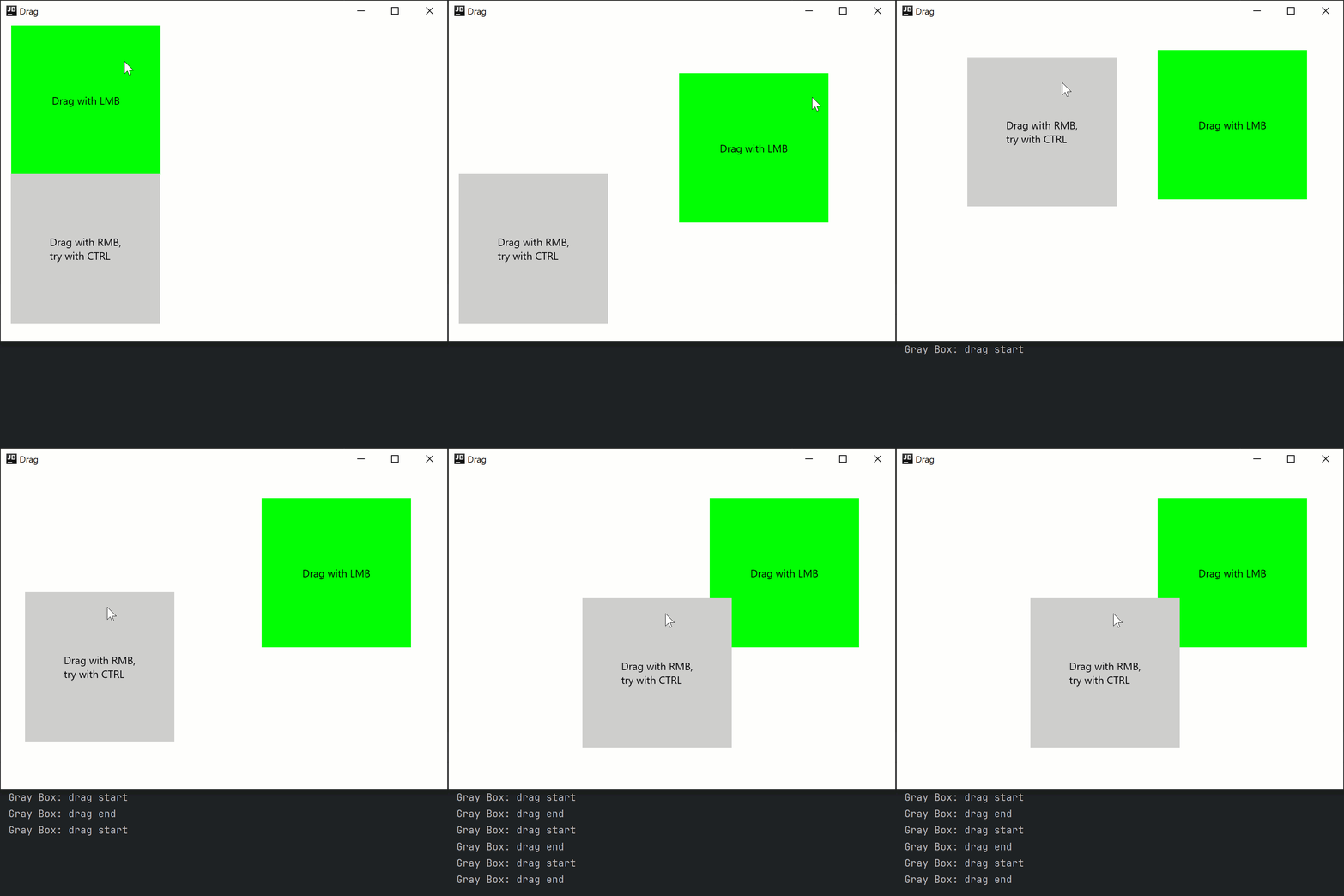
また、キーによってドラッグの動作が変わる場合に備えて、LocalWindowInfo.current.keyboardModifiers を介してキーボード修飾キーの状態を確認することもできます。例えば、単純なドラッグでアイテムを移動し、 を押しながらのドラッグでアイテムをコピー&ペーストするといった具合です。
次のコードサンプルは、マウスの左右のボタンによってトリガーされるドラッグイベントと、キーボードが関与する場合の処理方法を示しています。
import androidx.compose.foundation.ExperimentalFoundationApi
import androidx.compose.foundation.PointerMatcher
import androidx.compose.foundation.background
import androidx.compose.foundation.gestures.onDrag
import androidx.compose.foundation.layout.Box
import androidx.compose.foundation.layout.Column
import androidx.compose.foundation.layout.offset
import androidx.compose.foundation.layout.size
import androidx.compose.material.Text
import androidx.compose.runtime.getValue
import androidx.compose.runtime.mutableStateOf
import androidx.compose.runtime.remember
import androidx.compose.runtime.setValue
import androidx.compose.ui.Alignment
import androidx.compose.ui.Modifier
import androidx.compose.ui.geometry.Offset
import androidx.compose.ui.graphics.Color
import androidx.compose.ui.input.pointer.PointerButton
import androidx.compose.ui.input.pointer.isCtrlPressed
import androidx.compose.ui.platform.LocalWindowInfo
import androidx.compose.ui.unit.IntOffset
import androidx.compose.ui.unit.dp
import androidx.compose.ui.window.singleWindowApplication

@OptIn(ExperimentalFoundationApi::class)
fun main() = singleWindowApplication(title = "Drag") {
    val windowInfo = LocalWindowInfo.current

    Column {
        var topBoxOffset by remember { mutableStateOf(Offset(0f, 0f)) }

        Box(modifier = Modifier
            .offset {
                IntOffset(topBoxOffset.x.toInt(), topBoxOffset.y.toInt())
            }
            .size(200.dp)
            .background(Color.Green)
            .onDrag { // デフォルト: enabled = true, matcher = PointerMatcher.Primary (マウス左ボタン)
                topBoxOffset += it
            }
        ) {
            Text(text = "Drag with LMB", modifier = Modifier.align(Alignment.Center))
        }

        var bottomBoxOffset by remember { mutableStateOf(Offset(0f, 0f)) }

        Box(modifier = Modifier
            .offset {
                IntOffset(bottomBoxOffset.x.toInt(), bottomBoxOffset.y.toInt())
            }
            .size(200.dp)
            .background(Color.LightGray)
            .onDrag(
                matcher = PointerMatcher.mouse(PointerButton.Secondary), // マウス右ボタン
                onDragStart = {
                    println("Gray Box: drag start")
                },
                onDragEnd = {
                    println("Gray Box: drag end")
                }
            ) {
                val keyboardModifiers = windowInfo.keyboardModifiers
                bottomBoxOffset += if (keyboardModifiers.isCtrlPressed) it * 2f else it
            }
        ) {
            Text(
                text = "Drag with RMB,
try with CTRL",
                modifier = Modifier.align(Alignment.Center)
            )
        }
    }
}
また、suspend fun PointerInputScope.detectDragGestures を使用して、モディファイア以外の方法でドラッグを処理することもできます。
import androidx.compose.foundation.ExperimentalFoundationApi
import androidx.compose.foundation.PointerMatcher
import androidx.compose.foundation.background
import androidx.compose.foundation.gestures.detectDragGestures
import androidx.compose.foundation.layout.Box
import androidx.compose.foundation.layout.offset
import androidx.compose.foundation.layout.size
import androidx.compose.material.Text
import androidx.compose.runtime.getValue
import androidx.compose.runtime.mutableStateOf
import androidx.compose.runtime.remember
import androidx.compose.runtime.setValue
import androidx.compose.ui.Alignment
import androidx.compose.ui.Modifier
import androidx.compose.ui.geometry.Offset
import androidx.compose.ui.graphics.Color
import androidx.compose.ui.input.pointer.pointerInput
import androidx.compose.ui.unit.IntOffset
import androidx.compose.ui.unit.dp
import androidx.compose.ui.window.singleWindowApplication

@OptIn(ExperimentalFoundationApi::class)
fun main() = singleWindowApplication(title = "Drag") {
    var topBoxOffset by remember { mutableStateOf(Offset(0f, 0f)) }

    Box(modifier = Modifier
        .offset {
            IntOffset(topBoxOffset.x.toInt(), topBoxOffset.y.toInt())
        }
        .size(200.dp)
        .background(Color.Green)
        .pointerInput(Unit) {
            detectDragGestures(
                matcher = PointerMatcher.Primary
            ) {
                topBoxOffset += it
            }
        }
    ) {
        Text(text = "Drag with LMB", modifier = Modifier.align(Alignment.Center))
    }
}
Swing 相互運用による生の AWT イベントへのアクセス
onPointerEventモディファイアは試験的(Experimental)です。オプトインが必要であり(詳細は以下を参照)、評価目的でのみ使用してください。安定版(Stable) API については、Modifier.pointerInputを参照してください。
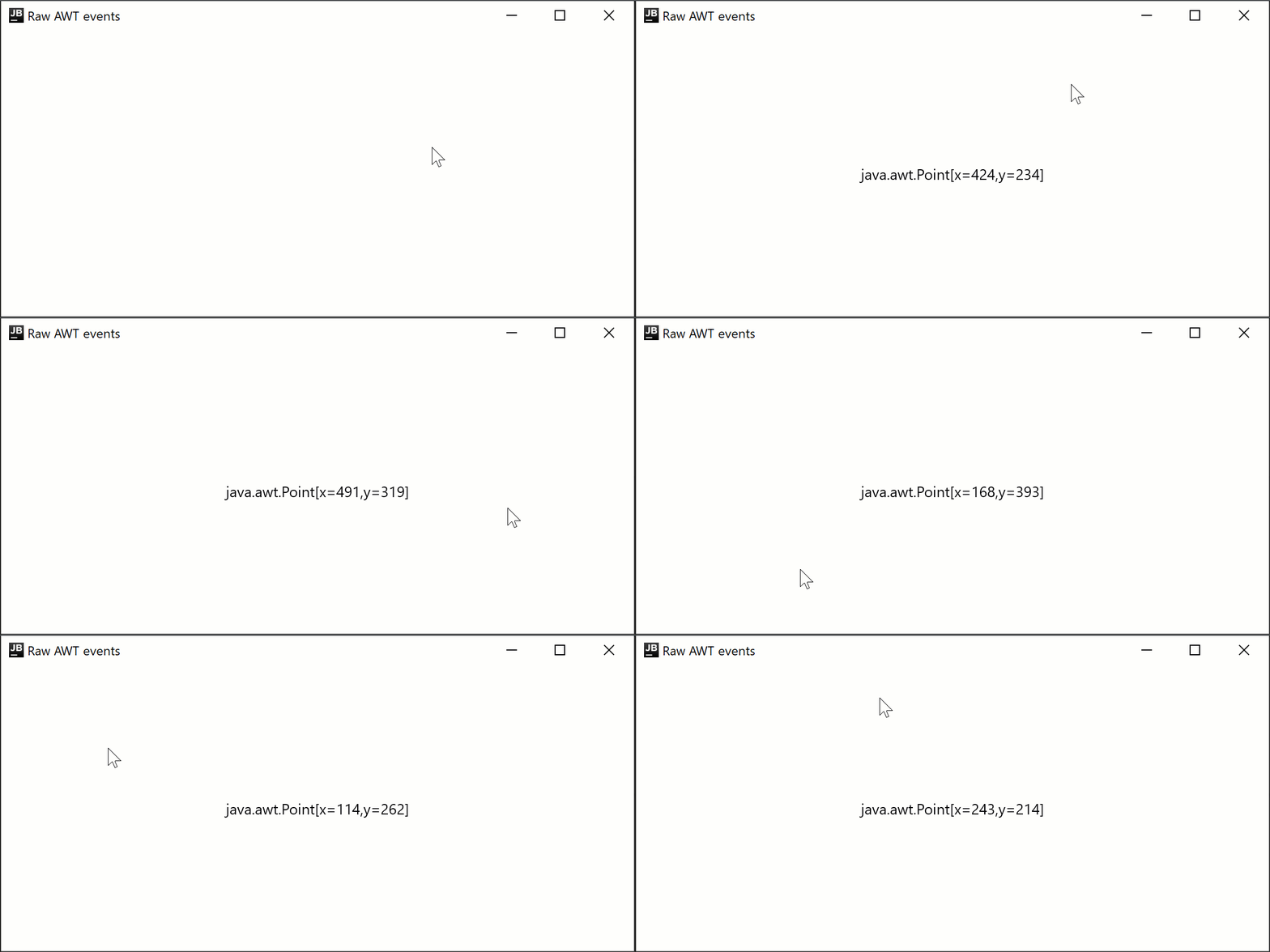
Compose Multiplatform for desktop は内部で Swing を使用しており、生の AWT イベントにアクセスできます。
import androidx.compose.foundation.layout.Box
import androidx.compose.foundation.layout.fillMaxSize
import androidx.compose.material.Text
import androidx.compose.runtime.getValue
import androidx.compose.runtime.mutableStateOf
import androidx.compose.runtime.remember
import androidx.compose.runtime.setValue
import androidx.compose.ui.Alignment
import androidx.compose.ui.ExperimentalComposeUiApi
import androidx.compose.ui.Modifier
import androidx.compose.ui.awt.awtEventOrNull
import androidx.compose.ui.input.pointer.PointerEventType
import androidx.compose.ui.input.pointer.onPointerEvent
import androidx.compose.ui.window.singleWindowApplication

@OptIn(ExperimentalComposeUiApi::class)
fun main() = singleWindowApplication(title = "Raw AWT events") {
    var text by remember { mutableStateOf("") }

    Box(
        Modifier
            .fillMaxSize()
            .onPointerEvent(PointerEventType.Press) {
                text = it.awtEventOrNull?.locationOnScreen?.toString().orEmpty()
            },
        contentAlignment = Alignment.Center
    ) {
        Text(text)
    }
}
pointerInput を介した共通コードでの生のイベントのリッスン
上記のスニペットでは、ポインタイベントのタイプをサブスクライブするヘルパー関数である Modifier.onPointerEvent 関数を使用しています。これは Modifier.pointerInput 関数の新しい短縮版です。 これは現在試験的(Experimental)かつデスクトップ専用であるため、共通コード(common code)では使用できません。
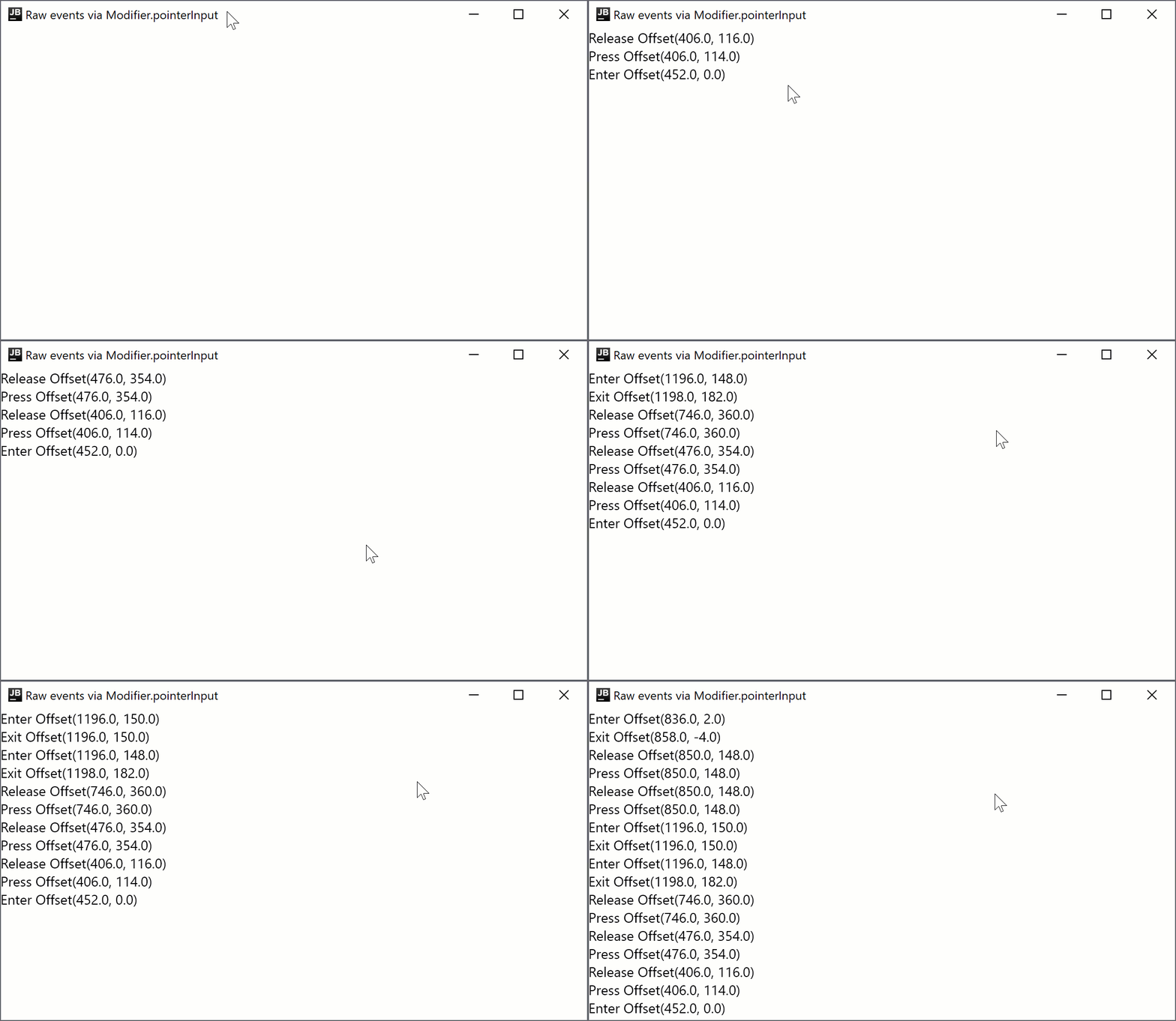
共通コードでイベントをサブスクライブする必要がある場合、または安定した API が必要な場合は、Modifier.pointerInput 関数を使用できます。
import androidx.compose.foundation.layout.Column
import androidx.compose.foundation.layout.fillMaxSize
import androidx.compose.material.Text
import androidx.compose.runtime.mutableStateListOf
import androidx.compose.runtime.remember
import androidx.compose.ui.Modifier
import androidx.compose.ui.input.pointer.PointerEventType
import androidx.compose.ui.input.pointer.pointerInput
import androidx.compose.ui.window.singleWindowApplication

fun main() = singleWindowApplication(title = "Raw events via Modifier.pointerInput") {
    val list = remember { mutableStateListOf<String>() }

    Column(
        Modifier
            .fillMaxSize()
            .pointerInput(Unit) {
                awaitPointerEventScope {
                    while (true) {
                        val event = awaitPointerEvent()
                        val position = event.changes.first().position
                        // 再レイアウトのたびに Compose は合成 Move イベントを送信するため、
                        // イベントのスパムを避けるためにスキップします
                        if (event.type != PointerEventType.Move) {
                            list.add(0, "${event.type} $position")
                        }
                    }
                }
            },
    ) {
        for (item in list.take(20)) {
            Text(item)
        }
    }
}
次のステップ
他のデスクトップコンポーネントに関するチュートリアルを確認してください。